Mercury Books is double-entry accounting software built into a Mercury account. It combines eligible banking, card, invoice, bill, and external-account data with accounting reports and AI-assisted workflows. According to Mercury's product page, Books is free through December 31, 2026 and is scheduled to cost $35 per month starting January 1, 2027.
Mercury Books Review 2026: Is It Worth It for Startups?

Mercury Books brings double-entry accounting into Mercury. Review its $35 pricing, reports, AI features, integrations, and migration limits.
9 min read
Practice trading with Finelo
Practice in a simulator, learn with bite-sized lessons, and build confidence before risking real money.
Want to learn more?
Practice in a simulator, learn with bite-sized lessons, and build confidence before risking real money.
Explore FineloExplore Finelo's 28-day challenges
Turn learning into a daily habit with guided challenge paths.
The close connection between banking and bookkeeping may reduce data handoffs for some Mercury customers. It does not remove the need to verify classifications, balances, reports, or professional judgments. Important boundaries include USD-only accounting, a required Mercury account, and a clean-cutover migration instead of a complete import of another platform's historical ledger.
Editorial and educational note: This review is based on Mercury's official product and support documentation. Finelo has no commercial or affiliate relationship with Mercury, and Mercury did not sponsor this article. It is not an endorsement, hands-on certification, or accounting, tax, legal, financial, or investment advice.
Quick Answer: What Should You Know About Mercury Books?
Mercury Books may be relevant to a U.S.-based business that already uses Mercury, keeps straightforward USD books, needs core financial reports, and can start from a verified cutover date. A founder, bookkeeper, or accountant must still review the resulting records.
It requires more scrutiny when a business needs:
- multi-currency accounting;
- complete historical activity in one searchable ledger;
- complex inventory, consolidation, project, or industry workflows;
- unlisted integrations or specialized reporting;
- software that prepares taxes or determines accounting treatment.
Product fit depends on required controls and workflows, not only on the monthly price.
What Is Mercury Books?
Mercury describes Books as full double-entry accounting software, rather than a reporting dashboard or an add-on to another ledger. Double-entry accounting records equal debits and credits and supports the accounting equation:
Assets = Liabilities + Equity

Mercury Books supports cash and accrual accounting. It produces a profit and loss statement, balance sheet, cash flow statement, and general ledger. Finelo's guide to analyzing financial statements explains how these reports connect.
Software can present cash or accrual records, but it cannot decide which method is appropriate for every business. Tax rules, reporting obligations, and professional judgment may affect that decision.
Mercury Books Pricing
| Item | Published price or requirement |
|---|---|
| Mercury Books through December 31, 2026 | Free |
| Mercury Books beginning January 1, 2027 | $35 per month |
| Mercury account | Required |
| Partner bookkeeping | Separate service and pricing |
These details were checked on September 17, 2026. Pricing, availability, and eligibility can change, so verify the current terms on the official Mercury Books page.
The subscription price is not the total possible accounting cost. Payment processing, payroll, bookkeeping, tax preparation, and advisory work may carry separate fees.
What Does Mercury Books Include?
Mercury's getting-started documentation describes the following capabilities:
| Area | What Mercury documents | What still needs review |
|---|---|---|
| Mercury accounts | Automatic syncing for Mercury checking, savings, and credit accounts | Completeness and correct ledger classification |
| External data | Connections through Plaid and integrations including Stripe, PayPal, and Gusto | Compatibility with the business's actual accounts and workflow |
| Invoices and bills | Matching Mercury invoices, bills, and related payments | Exceptions, partial payments, credits, and duplicates |
| Reports | Profit and loss, balance sheet, cash flow, and general ledger | Opening balances, classifications, and supporting records |
| Accounting basis | Cash and accrual options | Choosing the appropriate basis |
Integration availability can change. Testing a real account and a representative transaction is more reliable than assuming a named integration covers every use case.
For help interpreting outputs, see Finelo's guides to reading a balance sheet, reading an income statement, and reading a cash flow statement.
How Does Command AI Affect the Workflow?
Mercury says its Command assistant can answer questions about account data and help draft journal entries, organize a chart of accounts, or categorize transactions in bulk. These functions can prepare work, but they do not certify that an accounting decision is correct.
Mercury's limitations documentation states that Mercury does not decide how a transaction should be categorized, choose an accounting method, prepare tax returns, or review and certify the books. AI-assisted actions should therefore have an assigned human reviewer. Material entries, bulk changes, and unusual transactions deserve particular attention.
Practice trading with Finelo
Practice in a simulator, learn with bite-sized lessons, and build confidence before risking real money.
Migrating from QuickBooks Online or Xero
Mercury documents a clean-cutover process rather than a full historical migration. Its migration guide says Books does not import transaction history or categorization rules from QuickBooks Online, Xero, or NetSuite.
A typical cutover involves:
- closing the final period in the prior system;
- exporting the chart of accounts and a closing trial balance;
- selecting an entry start date in Books;
- connecting accounts and supported platforms;
- recording and verifying opening balances;
- reconciling the first period and comparing reports.
Historical reports, ledgers, invoices, attachments, reconciliations, and tax-supporting records should remain accessible. Retention requirements depend on the business and jurisdiction, so qualified professional guidance may be appropriate.
A short parallel test can help identify missing feeds or classification differences. Compare account balances, total assets and liabilities, revenue and expenses, receivables, payables, and material ledger detail—not just net income.
What to compare during a short test
A useful test should answer whether the system can support the business's normal month-end process. Choose a representative period rather than an unusually quiet week, and define the expected result before turning on automation.
| Test area | Question to answer |
|---|---|
| Data coverage | Did every expected bank, card, payroll, payment, invoice, and bill record appear? |
| Opening position | Do opening balances agree with the closed trial balance from the prior system? |
| Categorization | Are material and recurring transactions posted to the intended ledger accounts? |
| Reconciliation | Can statements be reconciled without unexplained differences? |
| Reports | Do the balance sheet, profit and loss statement, and cash flow statement agree with reviewed records? |
| Corrections | Can a user identify, document, and reverse an incorrect entry? |
| Access | Do owners, employees, bookkeepers, and accountants have appropriate permissions? |
| Export | Can required reports and supporting data be retrieved in usable formats? |
Matching the ending bank balance alone is not enough. Two systems can show the same cash total while classifying revenue, expenses, liabilities, or transfers differently. Review both report totals and a sample of the underlying transactions.
Include predictable exceptions in the test: a refund, partial payment, transfer, duplicate, payroll entry, card credit, or manually adjusted journal entry. These cases reveal more about the review process than a set of routine purchases. If an AI-assisted action is included, record the original suggestion, the person's approval or correction, and the final ledger result.
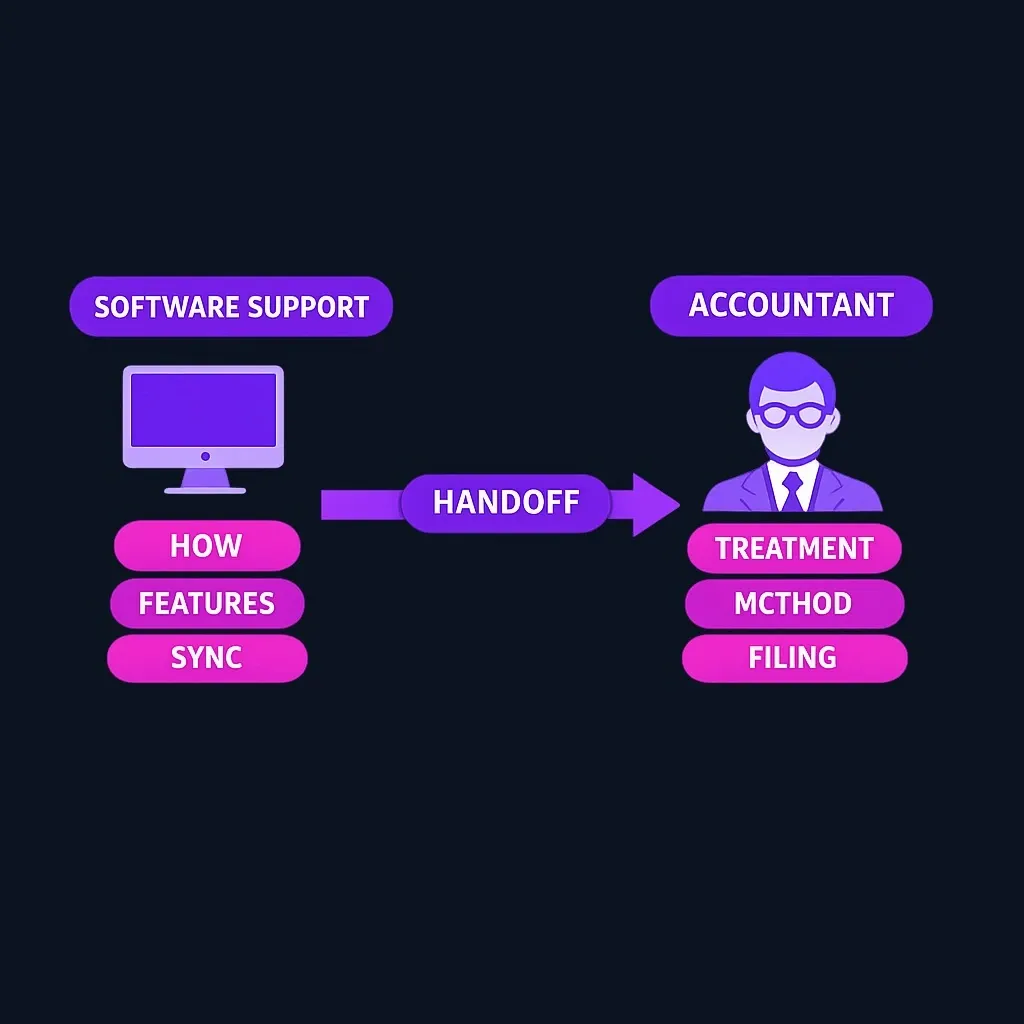
Finally, confirm who owns unresolved items. Software support can explain how the product works, while an accountant or bookkeeper may be needed for treatment-specific questions. That division of responsibility should be clear before the new ledger becomes the official record.
Important Limitations
USD-only accounting
Mercury's documentation says Books currently works in U.S. dollars and that non-USD invoices do not sync. Businesses with meaningful foreign-currency activity should treat this as a core requirement check.
Mercury account required
Books is not standalone software. Access requires an eligible Mercury account, and the account's financial-service terms are separate from the Books subscription.
Historical data does not fully migrate
Connected accounts may provide transactions from the selected start date, but Books does not reconstruct the complete prior ledger. Businesses that need continuous historical analysis inside one system should evaluate this carefully.
Professional judgment remains outside the product
Mercury does not provide tax or accounting advice, prepare returns, certify books, or determine the correct treatment for a specific transaction. Partner bookkeeping is also separate from the $35 subscription.
Specialized workflows require testing
General double-entry capability does not prove support for inventory, revenue recognition, project accounting, multi-entity consolidation, regulatory reporting, audit evidence, or industry-specific controls. Test required workflows with representative data before relying on the system.
Who May Find It Suitable?
Mercury Books appears most aligned with a business that:
- already uses Mercury for most banking and card activity;
- operates and reports primarily in USD;
- needs core financial statements rather than specialized accounting modules;
- can preserve old records outside the new ledger;
- has a person responsible for reviewing AI-assisted work and the close.
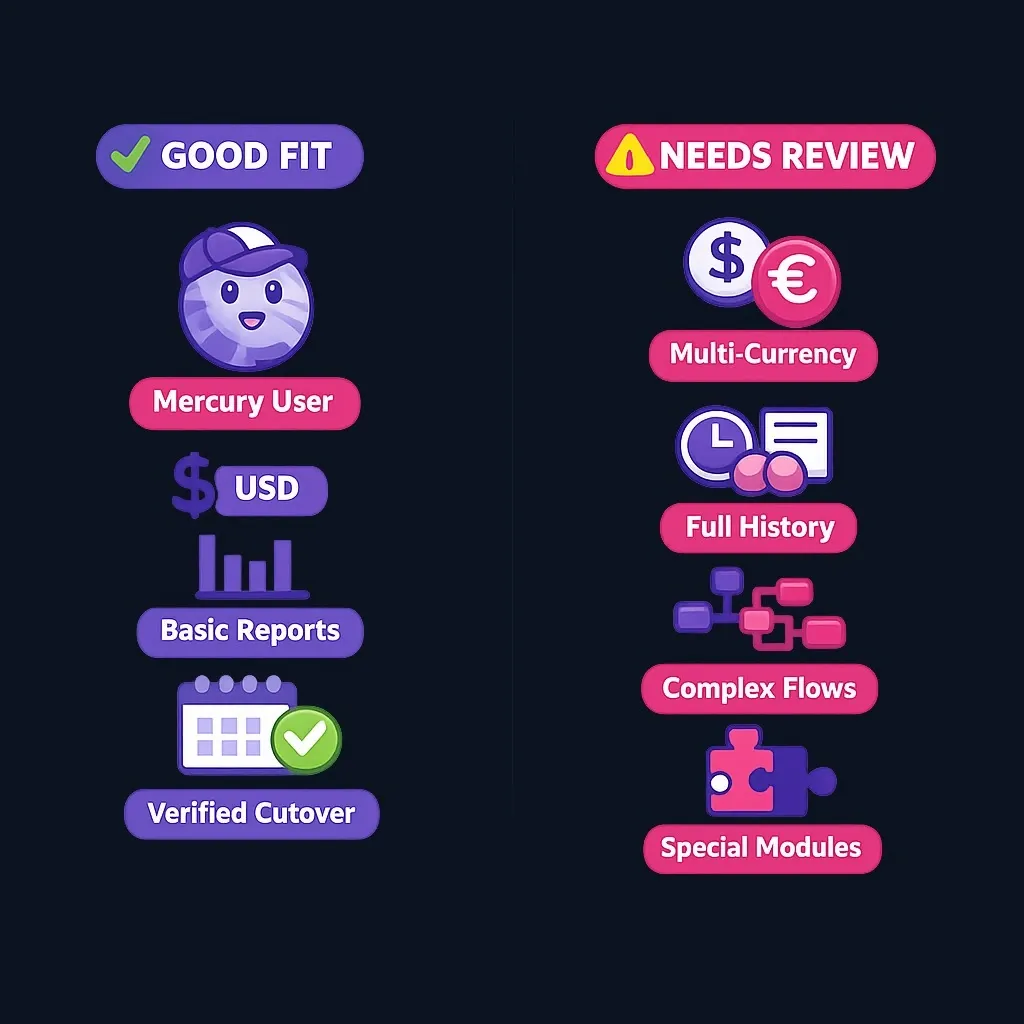
It may be less suitable when foreign currencies, full historical migration, complex entity structures, or specialized integrations are non-negotiable.
Decision Checklist
Before treating Books as the accounting system of record, confirm that:
- USD-only accounting is sufficient.
- Required accounts and integrations have been tested.
- The accounting basis and chart of accounts have been reviewed.
- Historical records will remain available.
- Opening balances reconcile to the prior system.
- Required reports and exports work as expected.
- AI and bulk actions have an assigned reviewer.
- Professional services and their costs are understood separately.
Unknown answers are a reason for a limited test, not an assumption.
Is Mercury Books Worth It?
For an existing Mercury customer with straightforward USD accounting, Books may reduce the operational gap between financial activity and bookkeeping. The published free period provides time to test it before the $35 monthly price begins.
That does not make it a universal alternative. A missing currency, integration, historical-data requirement, or control can matter more than convenience or price. The appropriate conclusion is conditional: assess Books against the business's actual data, reports, review process, and professional obligations.
Conclusion
Mercury Books combines banking data with double-entry accounting, core reports, external connections, and AI-assisted workflows. Its main constraints are equally important: USD-only operation, a required Mercury account, limited historical migration, and no professional tax or accounting advice.
Verify current product terms with Mercury and test non-negotiable workflows using real examples before adopting it. Finelo provides educational explanations of financial concepts; it does not determine which accounting system is suitable for a particular business.
This article is educational and informational only. Finelo does not provide accounting, tax, legal, financial, or investment advice. Product features, integrations, eligibility, and pricing can change. Mercury is a fintech company, not an FDIC-insured bank. Banking services are provided through Choice Financial Group and Column N.A., Members FDIC.
Frequently asked questions
What is Mercury Books?
Mercury Books is full double-entry accounting software built into a Mercury account. According to Mercury, it captures eligible banking, card, invoicing, and bill-pay activity and produces reports including a profit and loss statement, balance sheet, cash flow statement, and general ledger.
How much does Mercury Books cost?
Mercury Books is free through December 31, 2026 and is scheduled to cost $35 per month beginning January 1, 2027. A Mercury account is required. Product pricing can change, so verify the current price on Mercury's official page.
Does Mercury Books replace accounting software?
Mercury describes Books as a complete accounting system rather than an add-on. Whether it can replace a business's current software depends on required currencies, integrations, historical data, controls, reports, and professional workflows.
Can Mercury Books import all QuickBooks or Xero history?
No. Mercury documents a clean-cutover approach. Full transaction history and existing rules from QuickBooks Online or Xero do not migrate into Mercury Books, so businesses should preserve prior records and establish verified opening balances.
Does Mercury Books provide tax or accounting advice?
No. Mercury states that Books does not prepare or file returns, review or certify books, or advise a business how to categorize transactions or choose an accounting method. AI output should be reviewed and is not a substitute for qualified professional judgment.
Financial LiteracyBusiness FinanceAccountingBeginner
Practice trading with Finelo
Practice in a simulator, learn with bite-sized lessons, and build confidence before risking real money.
About the author
Finelo Team
The Finelo Team creates practical investing and trading education designed to help beginners learn faster with structured challenges, simulator practice, and bite-sized lessons.
Keep reading — Related articles

Financial Literacy
Why is My FICO Score Lower Than My Credit Score?
Example takeaway: seeing a higher score in a bank app doesn’t guarantee lenders will see the same FICO number at application time; lenders often pull a specific FICO version from a specific bureau.
Finelo Team
Financial Literacy
Why Is My FICO Score Higher Than My Credit Score?
Brief educational note: this article is educational, not financial or investment advice; investing and credit decisions involve risk and possible loss.
Finelo Team
Financial Literacy
Which States Have Inheritance Tax? A Detailed Overview
Key practical distinctions to note:
Finelo Team