Last editorial review: September 8, 2026
Hardware Wallet vs. Software Wallet: Security, Costs, and Convenience
Hardware wallets isolate private keys offline (cold storage), which reduces exposure to remote attacks; software wallets (hot wallets) keep keys on internet-connected devices for faster…
10 min read
Practice investing with Finelo
Build practical investing skills with guided lessons, simulator practice, and structured challenges.
Want to learn more?
Build practical investing skills with guided lessons, simulator practice, and structured challenges.
Explore FineloExplore Finelo's 28-day challenges
Turn learning into a daily habit with guided challenge paths.
U.S. scope: This article discusses U.S. institutions, financial products, tax rules, and dollar examples unless stated otherwise. Rules and product terms may change; verify current official guidance for your situation.
Quick answer: Hardware wallets and software wallets use different custody and security models. A cold hardware device can reduce exposure to online threats, while a connected software wallet can make frequent transactions easier. Neither model eliminates loss, theft, phishing, device, recovery, or user-error risk. Investor.gov advises comparing self-custody responsibilities, security practices, fees, supported assets, and recovery procedures before selecting a wallet (Investor.gov).
Quick comparison answer
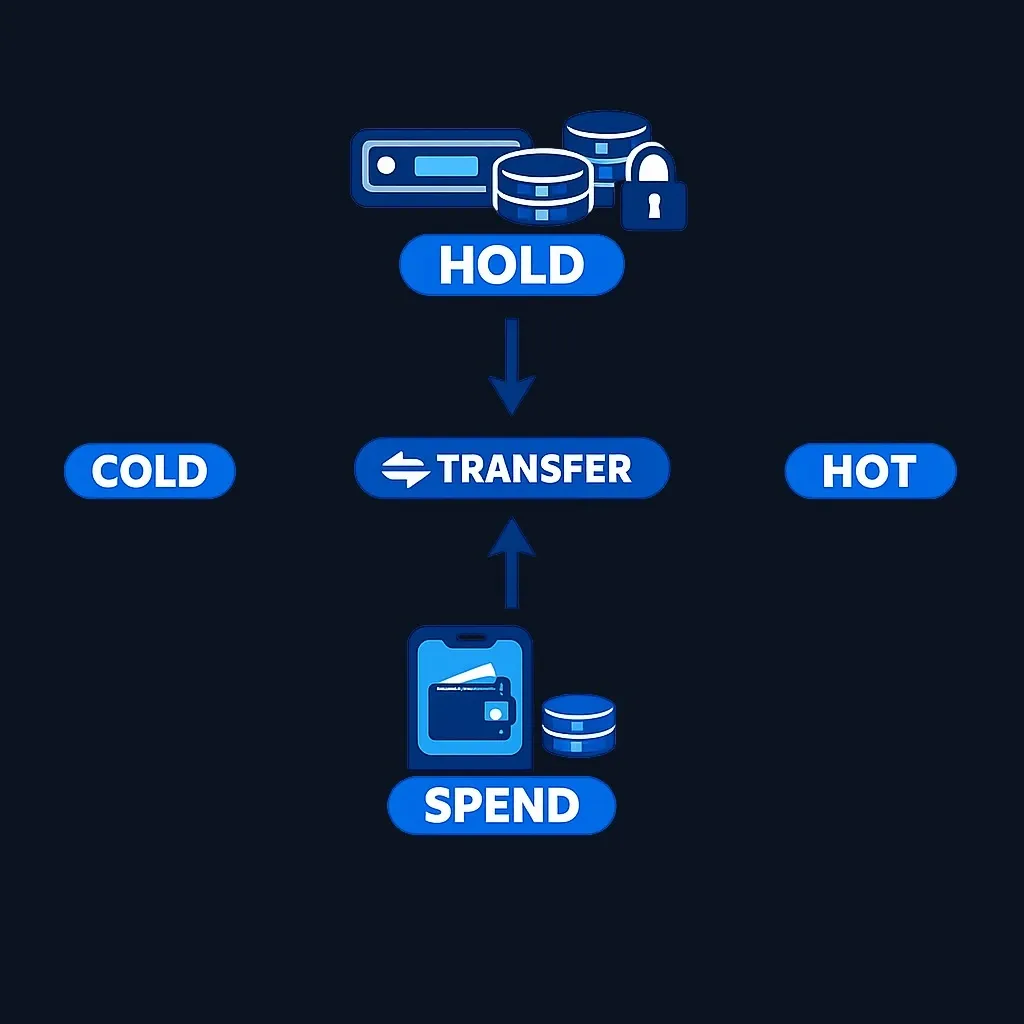
Hardware wallets keep private keys in a dedicated device and sign transactions in an isolated environment, which reduces some remote-attack exposure. Software wallets run on connected devices and can be more convenient for frequent transactions or decentralized applications. Ledger’s hardware-wallet explainer describes the signing model; Charles Schwab provides broader wallet-security guidance.
Hardware and software wallets explained
What is a hardware wallet?
A hardware wallet is a dedicated device designed to store private keys and sign transactions in an isolated environment. Many hardware wallets pair with companion apps that display balances and submit transaction requests while keeping the signing operation on the device.
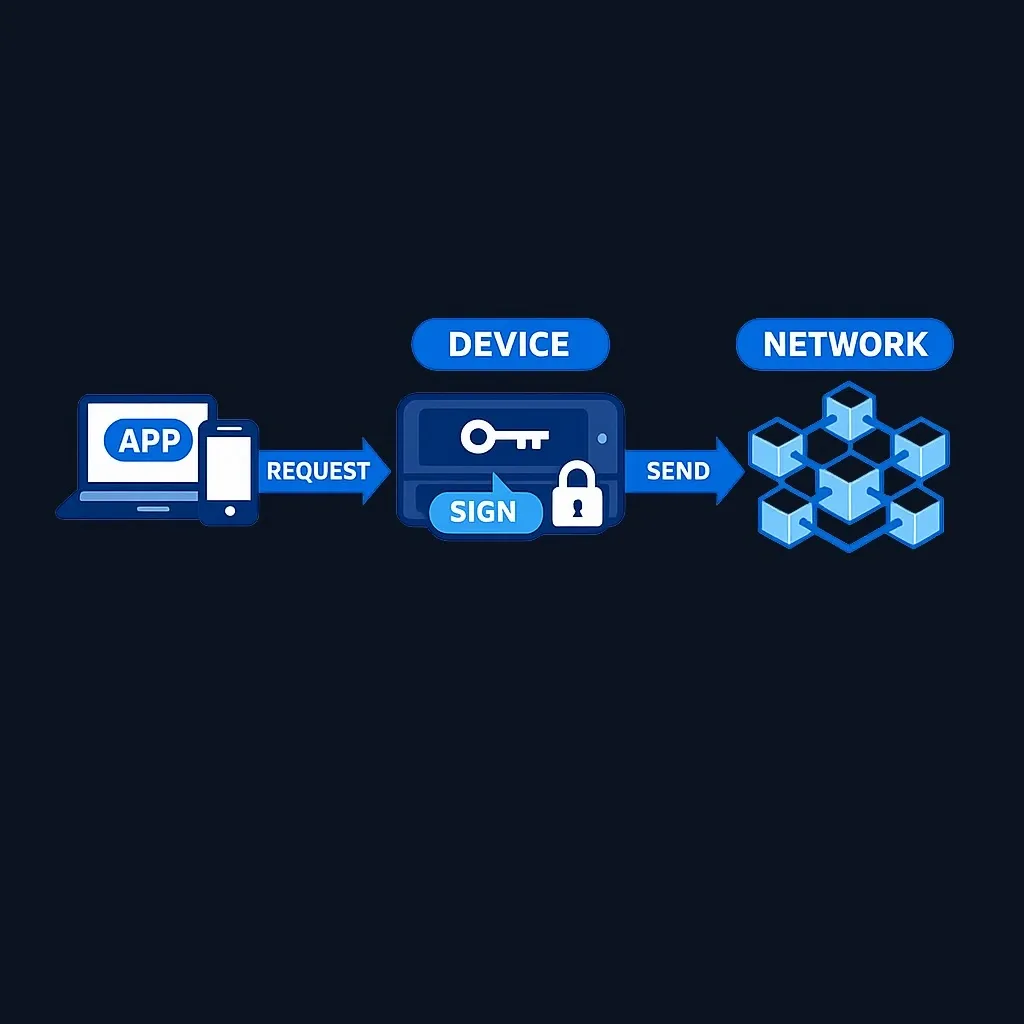
Common features can include a screen to confirm transaction details, physical controls for approval, and a recovery mechanism. Features and recovery procedures vary by vendor and model, so confirm them in the manufacturer’s official documentation.
What is a software wallet?
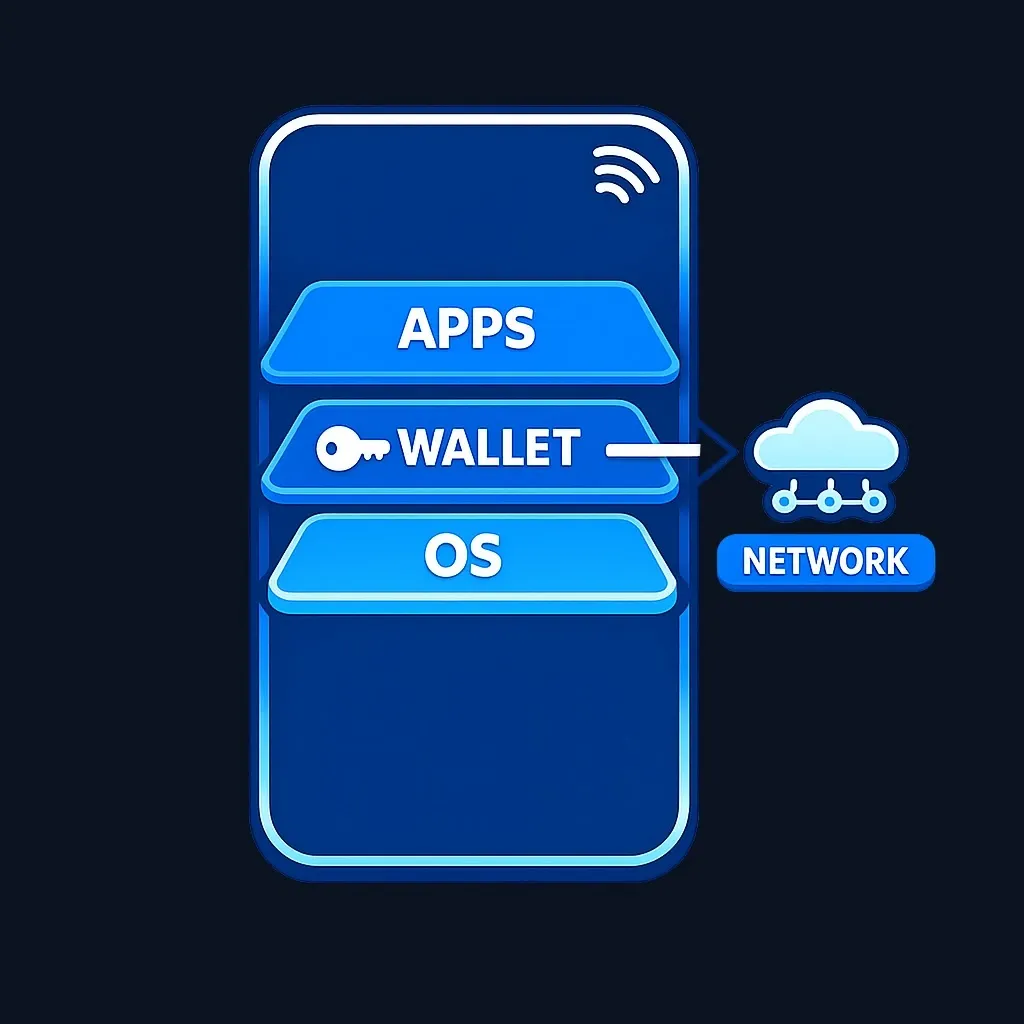
A software wallet runs on a phone, desktop, or browser extension and manages keys on that connected device or in an encrypted file. Software wallets are often used for frequent transactions and decentralized-application interactions. Features such as integrated swaps, price tracking, biometric controls, and supported networks vary by wallet.
Security Features: Hardware vs Software Wallets
Hardware and software wallets follow different threat models. Below are the main security points to weigh, with practical examples and caveats.
Private-key isolation and transaction signing
- Hardware wallets sign transactions inside the device, reducing some attack surfaces present on internet-connected devices.
- Software wallets sign transactions on devices that are typically online; malware or malicious browser extensions can attempt to read keys or trick users into approving bad transactions if the device is compromised.
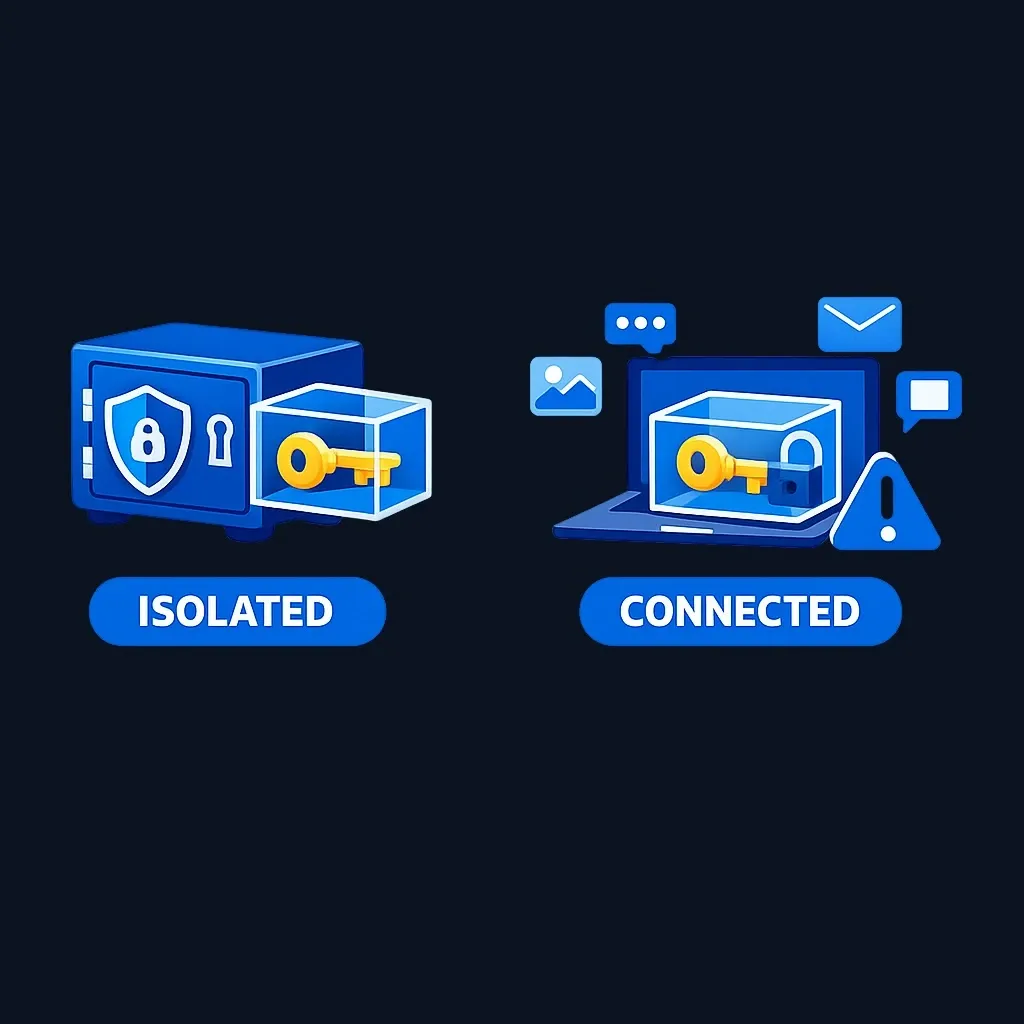
Caveat: No device is invulnerable. Attackers may use phishing, malicious integrations, or social engineering to persuade a user to approve a harmful transaction. Review transaction details on the device display when the wallet supports that verification step.
Backups and recovery
- Many wallets use a recovery or seed phrase. Investor.gov explains that the phrase can restore access if a wallet or key is lost or damaged and warns never to share it (Investor.gov). Follow the chosen wallet's official recovery instructions; compatibility and recovery design vary.
- Device loss may be recoverable when the user has the correct recovery information and a compatible recovery method, but recovery is not guaranteed in every product or failure scenario. Confirm the procedure before funding a wallet.
Attack vectors to watch
- Software wallets: phishing sites, malicious browser extensions, device malware, and insecure backups (e.g., plaintext cloud copies).
- Hardware wallets: supply-chain attacks, counterfeit devices, or compromised firmware. Follow the manufacturer’s official purchasing, authenticity, initialization, and firmware instructions.
Operational security (OpSec)
- Use separate wallets for different roles: e.g., a hardware wallet for long-term holdings and a software wallet for daily spending. Schwab recommends spreading risk by using multiple addresses or wallets for large holdings Charles Schwab on multiple wallets.
- Treat seed phrases like a master key: keep them offline, encrypted if stored digitally, and accessible only to trusted, pre-planned processes Charles Schwab on secure storage.
Side-by-side comparison table
| Criterion | Hardware wallet | Software wallet |
|---|---|---|
| Private-key storage | Isolated on a dedicated device; designed to reduce remote-exploit risk. | Managed on a phone, computer, or browser; convenient but exposed to the security of the connected device. |
| Transaction convenience | Requires the device and on-device approval for supported workflows. | Often faster for frequent transactions and decentralized-application interactions. |
| Recovery / backup | Requires seed phrase; device loss recoverable with seed Charles Schwab | Requires seed or encrypted backup; recovery depends on how keys/backups were stored Charles Schwab |
| Cost to start | One-time device purchase; verify the current model price and required accessories on the manufacturer’s site. | Often free to install, although network, swap, or third-party service fees may apply. |
| Typical use case | Infrequent access where stronger key isolation is prioritized. | Frequent access and interactions where convenience is prioritized. |
Cost Considerations for Wallets
Hardware wallets require a physical-device purchase, with prices varying by manufacturer, model, and features. Verify current pricing on the official manufacturer site. Software wallets are often free to download, although network fees and optional swap or third-party service fees may apply. Beyond the initial price, consider:
- Secure backups (hardware or safe deposit boxes), which may carry storage costs.
- Time and operational overhead to learn device setup, firmware updates, and verification processes.
- Potential higher risks (and thus potential loss) from operational mistakes with either wallet type; plan backups and multi-wallet strategies accordingly Charles Schwab on backups and multiple wallets.
Decision criteria
Use this short checklist to map your situation to a wallet type. Score each row on a 1–5 scale (5 = very important).
- Security priority (how critical is maximum protection?): 1–5
- Frequency of on-chain interaction (daily vs rarely): 1–5
- Comfort with device setup and OpSec (low to high): 1–5
- Need for DApp/DeFi/NFT interaction: 1–5
- Budget for a hardware device and backups: 1–5
Interpretation: use the scores to identify which tradeoffs require more research. High security sensitivity may make cold-storage features more relevant; frequent transactions may make connected-wallet convenience more relevant. A split setup is another configuration to evaluate, but it adds recovery, recordkeeping, and operational complexity.
Practice investing with Finelo
Build practical investing skills with guided lessons, simulator practice, and structured challenges.
When to choose each option
When to choose a hardware wallet
A hardware wallet may suit someone who prioritizes key isolation and accepts the extra setup and transaction steps. It can reduce some remote-compromise risks, but it does not eliminate phishing, recovery, device, or user-error risks.
When to choose a software wallet
A software wallet may suit someone who prioritizes frequent access, decentralized-application interactions, or mobile convenience and accepts the security tradeoffs of a connected device.
Practical hybrid approach
A user can evaluate separating infrequently accessed assets from a smaller transaction wallet. This can limit exposure in one wallet but creates additional keys, backups, fees, and procedures to manage. It is a custody configuration, not a universal recommendation.
Tradeoffs and caveats
- User mistakes remain important. A hardware wallet cannot protect funds if recovery information is exposed or a harmful transaction is approved. Follow the vendor’s official setup, verification, and firmware instructions.
- Supply-chain and counterfeit risks: Compare official sales channels and the manufacturer’s documented authenticity checks before purchasing or initializing a device.
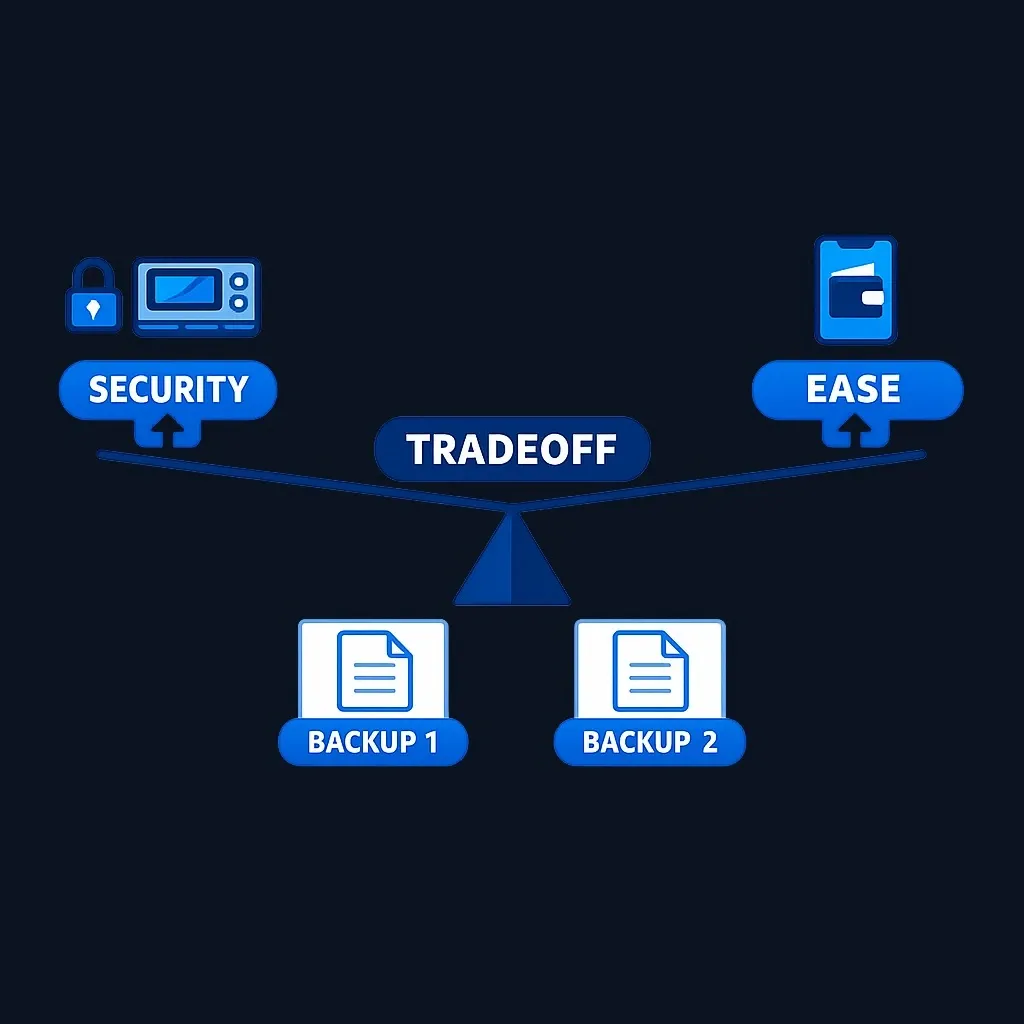
- Convenience vs security: software wallets win on convenience; hardware wallets win on isolation. The right choice depends on tradeoffs you accept for daily convenience versus loss prevention.
- Backups are not optional. A single point of failure (lost device, forgotten passphrase) can mean permanent loss unless you have secure seeds/backups in place Charles Schwab on backups.
FAQs
What is the main difference between hardware and software wallets?
Hardware wallets keep private keys in a dedicated device and sign transactions on-device, reducing some remote-attack exposure. Software wallets operate on a connected device for faster access and easier decentralized-application use.
Are hardware wallets unhackable?
No wallet is unhackable. Hardware wallets can reduce key-exposure risk by isolating signing, but they still require careful setup, authentic firmware, secure recovery handling, and accurate transaction review.
Do I really need a hardware wallet?
The comparison depends on transaction frequency, the value at risk, recovery practices, supported assets, and comfort with device setup. Some users separate long-term storage from a smaller software-wallet balance used for frequent interactions.
What happens if I lose my hardware wallet?
If you have your recovery seed phrase securely stored, you can restore access to your funds on another compatible wallet. Industry guidance recommends encrypted offline storage and redundant backups for recovery Charles Schwab on backups.
Conclusion and Next Steps
Summary: Hardware wallets can isolate signing from an internet-connected device; software wallets can provide easier access for frequent transactions. The appropriate setup depends on custody responsibility, recovery design, transaction needs, costs, supported assets, and the specific threats the user is prepared to manage.
Concrete next steps:
- Inventory your needs: estimate how often you transact, how much you hold, and how comfortable you are with device setup.
- If you choose a hardware device, use an official or manufacturer-authorized channel and follow the vendor’s verification and firmware-update instructions. Follow the vendor’s recovery-storage guidance and never disclose the recovery phrase.
- If you use a software wallet, harden your device: enable OS updates, use strong device passwords, consider biometric locks, and avoid storing seed phrases in plaintext or cloud storage.
- If evaluating a split setup, document which wallet serves each purpose and how each can be recovered before transferring assets.
If you want a short checklist to evaluate a specific device or app, save this page and use the Decision criteria checklist above as you compare vendors and features.
Sources and Further Verification
- Charles Schwab on secure storage and backups
- Ledger Academy: What Is a Hardware Wallet?
- Investor.gov: Crypto Asset Custody Basics for Retail Investors
More from Finelo
- 1031 Exchange vs. Opportunity Zone: Key Differences
- 83(b) Election: Deadlines, Tax Risks, and When Early Filing May Fit
- After-Tax 401(k) vs. Roth 401(k): Key Differences
Disclaimer
This article is provided by Finelo for educational and informational purposes only. Finelo does not provide financial, investment, tax, legal, or insurance advice. Consider your circumstances and consult an appropriately qualified professional before making financial decisions.
InvestingBeginner GuideFinancial Education
Practice investing with Finelo
Build practical investing skills with guided lessons, simulator practice, and structured challenges.
About the author
Finelo Team
The Finelo Team creates practical investing and trading education designed to help beginners learn faster with structured challenges, simulator practice, and bite-sized lessons.
Keep reading — Related articles
Investing
Yield to Call vs Yield to Maturity: Assumptions and Bond Risks
Yield to call (YTC) estimates a bond's yield if the issuer redeems it on an eligible call date; yield to maturity (YTM) estimates yield if it remains outstanding to final maturity.
Finelo Team

Investing
Will My Employer Know If I Take a 401(k) Loan?
Who this page is for: readers new to 401(k) loans who want a practical, privacy‑focused explanation — what your employer can see, how to limit visibility, and the financial tradeoffs to weigh.
Finelo Team

Investing
What Medical Expenses Qualify for a 401(k) Hardship Withdrawal?
Before you decide, confirm three things with your plan administrator:
Finelo Team